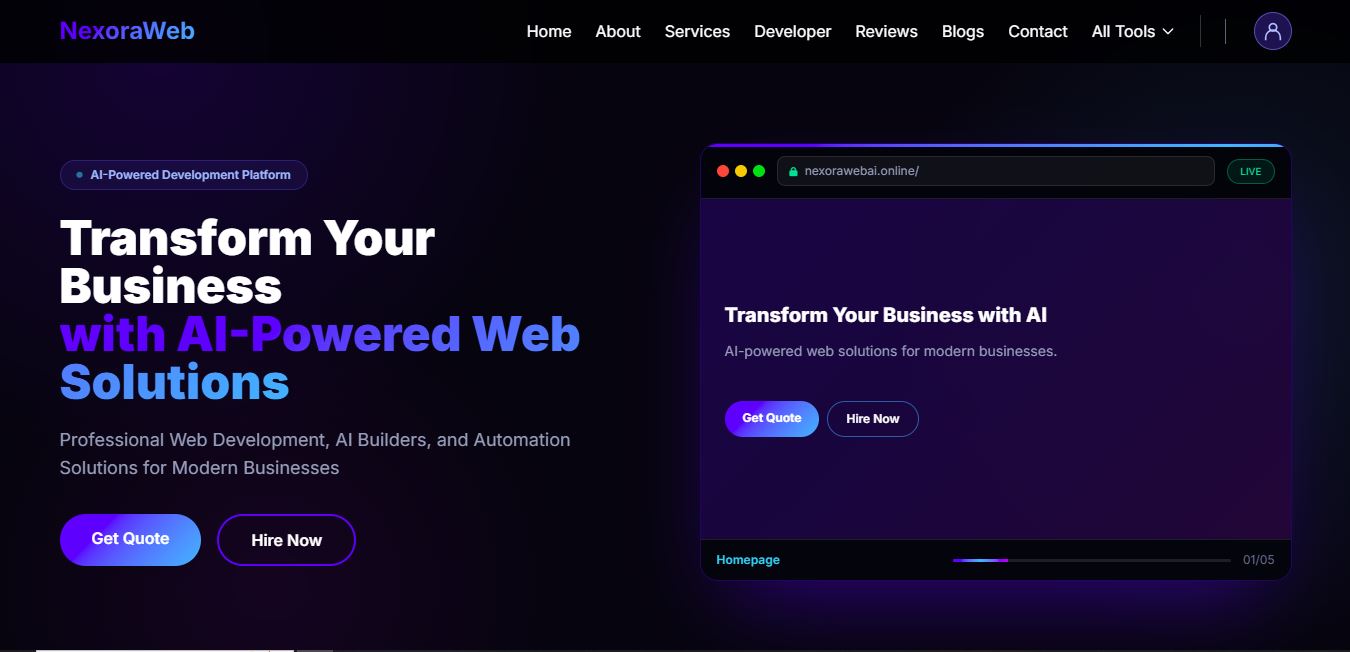
NexoraWeb is a digital platform that brings together AI website creation, business planning, conversational assistance, source code, website themes and developer resources. It helps students, developers, freelancers and businesses move from an initial idea towards work they can review and improve.
Whether you want to explore a business concept, create a website draft or understand an existing code project, NexoraWeb offers different starting points for different tasks. Visit NexoraWeb to explore the available tools.
What You Will Learn
- What NexoraWeb is and who founded it.
- How the platform’s main workflow works.
- What each AI tool helps you do.
- How source code, themes and developer resources fit together.
- How saved work and shared AI credits are used.
- What to review before using your results.
Who Founded NexoraWeb?
NexoraWeb was founded by Waiz Jamal Ashraf, a software developer and entrepreneur based in Karachi, Pakistan. The platform operates under Waiz Web & AI Solutions.
His work focuses on full-stack web development, AI solutions and automation, using technologies including Laravel, JavaScript and Python. NexoraWeb brings these interests together through tools intended to make digital work more approachable.
Learn more on the About NexoraWeb page or visit the founder’s portfolio.
How Does NexoraWeb Work?
The starting point is your objective. You can explore a public guide, choose an AI tool or browse development resources. AI tools require the relevant account access and available allowance. Resource downloads and purchases follow the conditions shown on their listings.
The Main Platform Workflow
NexoraWeb
│
└── User visits the website
    │
    ├── Explore AI tools
    │   │
    │   └── Read the tool's guide page
    │       │
    │       └── Launch the selected tool
    │           │
    │           └── Sign in and verify email when required
    │               │
    │               └── Check the shared AI allowance
    │                   │
    │                   ├── AI Web Builder
    │                   │   └── Brief → Generate → Preview → Refine → ZIP
    │                   │
    │                   ├── AI Consultant
    │                   │   └── Question → Response → Review → Follow-up
    │                   │
    │                   └── Business Planner
    │                       └── Idea → Research → Plan → Refine → PDF
    │
    └── Explore development resources
        │
        ├── Source Code Provider
        │   └── Open repository → Read instructions → Review → Adapt
        │
        ├── Theme Marketplace
        │   └── Preview → Check listing → Download or purchase
        │
        └── Developer Resources
            └── Explore examples → Check requirements → Integrate
These paths describe the intended user journey. They do not mean every result is immediately ready for publication. Review generated content, check requirements and test the work in its intended environment.
AI Web Builder: From a Brief to a Website Draft
AI Web Builder helps turn a written description into generated website code. Explain the business, audience, pages, visual preferences and interactions you need.
A useful brief might describe a café website with a menu, opening hours, location and contact section. Clear requirements give the builder a more relevant starting point than a request such as “make a good website.”
Your website idea
│
└── Describe pages, content and design
    │
    └── Submit a generation request
        │
        └── Review the generated website
            │
            ├── Preview the result
            ├── Open the source editor
            ├── Use editor with preview
            ├── Ask for a revision
            └── Download the available ZIP
                │
                └── Test before publishing
Check navigation, mobile layouts, accessibility and source code. A visible form does not automatically provide a working database, payment service or email integration. Confirm those behaviours separately before collecting customer information.
AI Consultant: Ask, Understand and Refine
AI Consultant offers a conversational way to explore questions and development ideas. Explain the task, relevant background and constraints, then request the kind of answer you need.
You might compare two website approaches, ask for a simpler explanation of a programming concept or discuss a project decision. Related follow-up questions help clarify the response within the conversation.
Your question
│
└── Add useful context
    │
    └── Send the message
        │
        └── Read the AI response
            │
            ├── Verify important claims
            ├── Ask a follow-up question
            └── Revisit the saved conversation
AI answers can contain mistakes or outdated information. Verify consequential claims and test proposed code. Do not share passwords, private API keys or unnecessary personal records in a prompt.
Business Planner: Turn an Idea into an Action Plan
Business Planner helps organise a business concept into a structured plan. Start with your product or service, target location, intended audience, available budget and goals.
The planning workflow combines your brief with available public research. You can continue through AI Chat, refine saved projects and export a PDF for review.
Your business idea
│
└── Complete the business brief
    │
    └── Generate Business Plan
        │
        └── Research and planning
            │
            ├── Business Overview
            ├── Market Research
            ├── Target Audience
            ├── Competitor Analysis
            ├── Marketing Strategy
            ├── Budget & Revenue Model
            ├── SWOT Analysis
            └── 90-Day Roadmap
                │
                └── Review the saved project
                    │
                    ├── Ask follow-up questions
                    ├── Edit or duplicate the plan
                    ├── Save useful responses
                    └── Export PDF
Competitor findings depend on accessible sources and need verification. Budget and revenue figures are planning assumptions, not guaranteed outcomes. Replace uncertain estimates with actual quotations, customer feedback and operating information.
Source Code, Themes and Developer Resources
Source Code Provider
Source Code Provider presents featured projects with links to their repositories. Review the source, setup instructions and licence before using a project. Downloaded code may require dependency installation, configuration and security checks.
Theme Marketplace
Browse the Theme Marketplace to compare available website designs. Check each listing’s included files, requirements and usage terms. Replace demonstration content and verify which features need separate backend development.
Developer Resources
Developer Resources offers examples and interface resources to explore. Test a component separately, understand its dependencies and adapt it carefully to avoid breaking existing styles or behaviour.
How Shared AI Credits Work
AI Web Builder, AI Consultant and Business Planner use a shared daily website credit allowance. Using credits in one tool reduces the balance available to the others. Check your account for the remaining balance and reset information.
Shared daily AI allowance
│
├── AI Web Builder
├── AI Consultant
└── Business Planner

The tools draw from the same account balance.
When exhausted, check the displayed reset time.
Website credits and AI provider quotas are separate. An available website balance does not guarantee immediate provider capacity or uninterrupted service.
Where Can You Find Your Saved Work?
Supported projects and conversations are linked to your account. Your dashboard provides access to account information and recorded activity, while individual tools provide their relevant saved-work controls.
Keep independent copies of important reviewed exports. Saved history helps you return to available work, but temporary service files and download links should not be treated as permanent backups.
Review Before You Publish or Share
- Websites: Test links, forms, accessibility and mobile layouts.
- AI answers: Verify important facts and assumptions.
- Business plans: Check sources, costs and revenue scenarios.
- Source code: Inspect dependencies, security and licence terms.
- Themes: Replace placeholders and confirm asset permissions.
NexoraWeb supports progress, but a generated result is not proof of accuracy, production readiness or commercial success. Understanding and reviewing the work remains an essential part of the process.
Learn More or Contact NexoraWeb
Explore the Practical Guides for tool instructions and review checklists. Read the Privacy Policy and Terms of Service before submitting sensitive material or reusing resources.
For questions, feedback or technical problems, visit Contact and Support. Include the tool name and relevant error or task reference, without sending passwords, private API keys or session information.